

I didn’t expect a planter to make me smile at my desk, but that’s exactly what the Plantsio Ivy Gen 2 does. It’s a smart pot with a small screen “face” that reacts to your plant’s water, light and soil, and to you touching it. Plantsio sent me a yellow review unit, and it now sits on my desk next to my BenQ monitor with a Money Plant in it.
Here’s how it was to set up, what the faces actually do, what I liked, what could be better, and who should skip it.
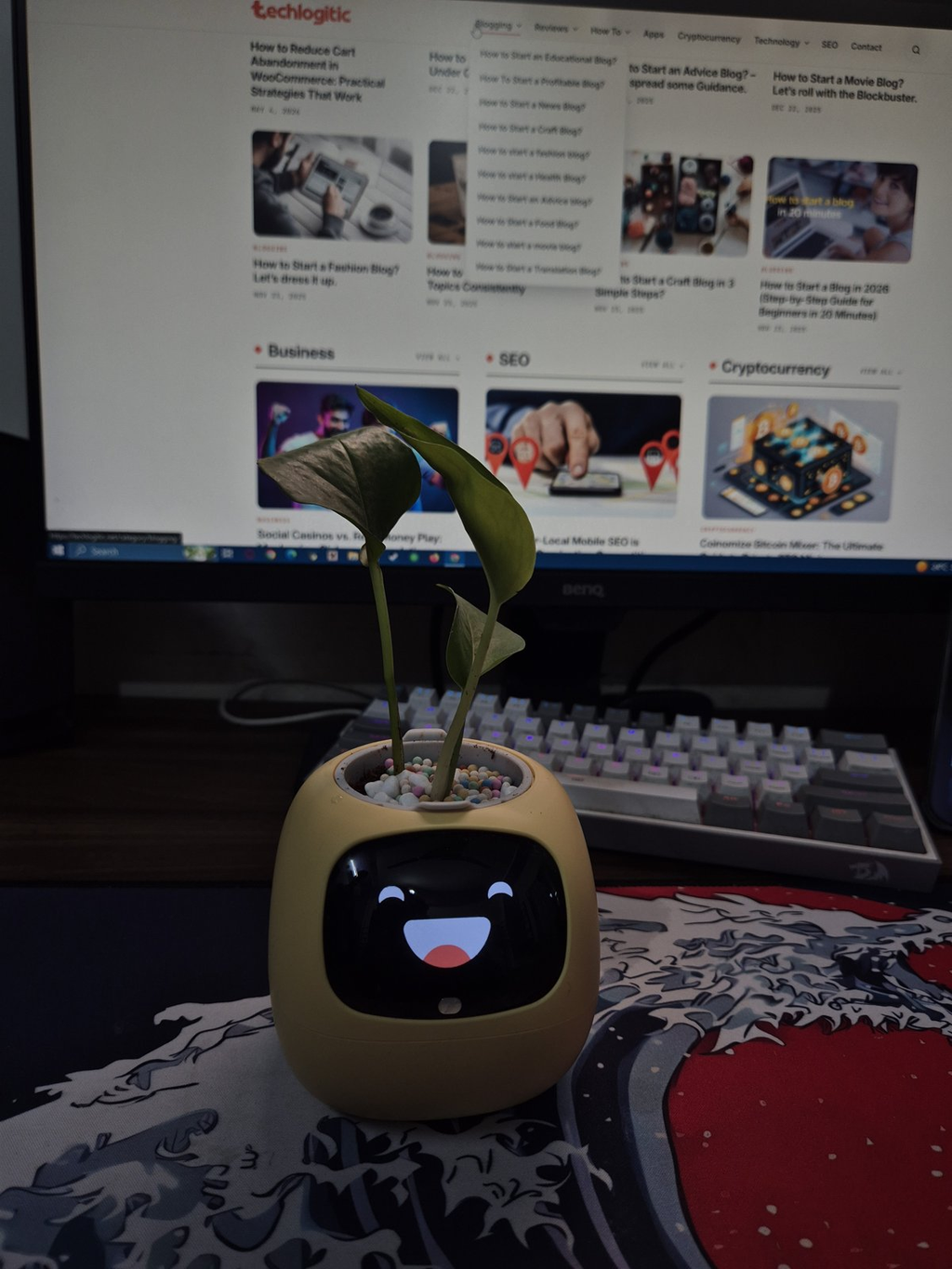
What Plantsio Ivy Gen 2 is
Ivy is an interactive planter. There’s a small inner pot for your plant, and on the front there’s a display that shows your plant’s mood. Plantsio says it has more than 100 expressions, and it adds new ones through over-the-air updates.
Behind the face there’s real data. Plantsio calls its sensor system PlantSense 2.0, with 9 sensors that track soil moisture, water level, plant presence, light, temperature, humidity and more. It connects over Wi-Fi to the Tuya / Smart Life app.
The plant isn’t included. The inner pot fits plants that come in a 3.5-inch nursery pot or smaller. Plantsio can’t ship live plants abroad, so I bought a Money Plant (pothos) locally. It’s leafy, it fits the small pot, and it has no thorns, which matters because you touch the top of Ivy a lot.
What’s in the box
- The Ivy planter (outer case, inner pot, and the Ivy unit with its base tray)
- White paving pebbles and coloured paving pebbles
- A measuring cup
- A USB Type-C charging cable
- Welcome pack and user manual
I topped my plant with the colourful clay pebbles. They make it look finished and hide the soil.
Setup: simple, and a bit cute
Setup was simple. This is what I did:
- Power on the Ivy Gen 2.
- Download the Smart Life app.
- Add water.
- Place the plant.
- Select the plant profile in the app and start monitoring.
Two things stood out. First, Ivy measures the water you pour. When I added water, the screen showed a water-level animation that read “30mL added”, and the level climbed from 11% to 57%. You know exactly how much went in.
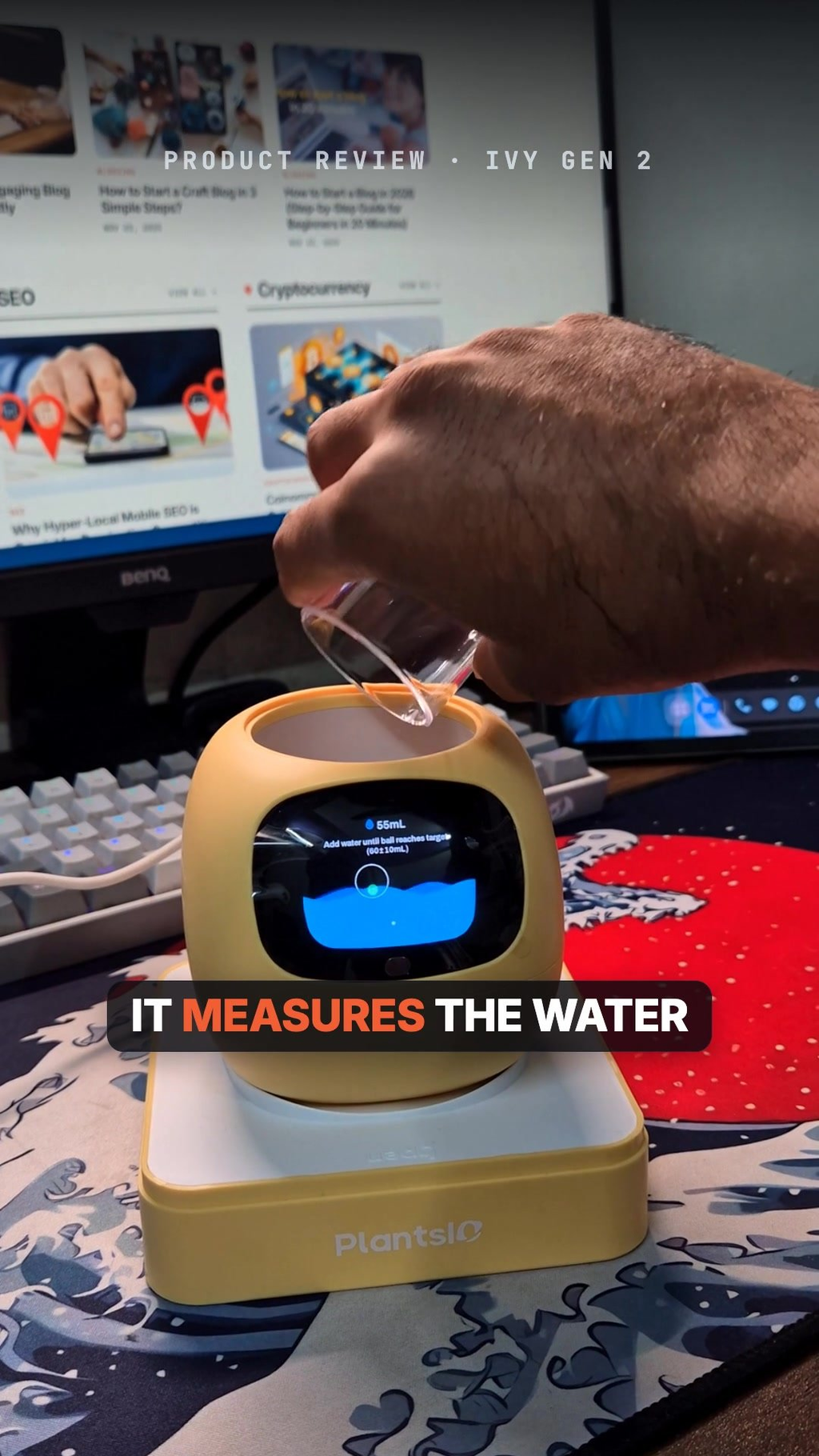
Pouring water in: the screen shows how much you added and the new water level
Second, Ivy “wakes up” once the plant goes in. The screen said “Waking Ivy / Do not disconnect power”. Then it looked sleepy, then a bit grumpy, then wide awake. It’s a small touch, but it makes the first few minutes fun.
One thing to know before you start: Ivy works on 2.4GHz Wi-Fi only. If your router uses one name for 2.4GHz and 5GHz, you may need to sort that out first.
The plant library and care profiles
When you set up Ivy, you pick your plant’s profile in the app. Plantsio says it supports 60+ plant types, and you can see the full list in its online Plant Library. Each profile comes with its own care plan, so Ivy knows what “too dry” or “too dark” means for your plant.
The library covers a good mix of common indoor plants:
- Pothos types like Devil’s Ivy (Epipremnum aureum, which is our Money Plant), Pearls and Jade, and Satin Pothos
- Philodendrons, syngoniums, peperomias, calatheas and Monstera adansonii
- Ferns like Bird’s-Nest Fern and Sword Fern
- Herbs like basil, mint, rosemary, parsley and cilantro
- Snake plant (listed as Tiger Lily, Sansevieria), Spider Plant, Rubber Tree and succulents
If you’re buying a plant for Ivy, check the library first and pick something small and leafy.
The faces and how Ivy reacts
This is the whole point of Ivy. The face changes with the situation. When you water it, it shows a drinking face. When it gets sun, it shows a sun. When the plant is happy, Ivy looks happy, and when something’s wrong, it looks sad.
Plantsio’s store page shows off nine of its faces: whistling, day dreaming, eat sadly, look around, eat sun, blow kisses, too much sun, dizzy and pouty. In my own use, these are the faces I caught:
- Squinting >_<
- Surprised with its tongue out
- Happy with rosy cheeks
- Content ^_^
- Laughing
- Asleep, with -_- and zZ
- Angry or grumpy
- A suspicious side-eye
- Heart eyes
- Cheering
- A wincing face with a little blue leaf swirl animation
![Plantsio Ivy Gen 2 showing a squinting face in a dark room]](https://techlogitic.net/wp-content/uploads/2026/11/image-2-1024x1365.png)
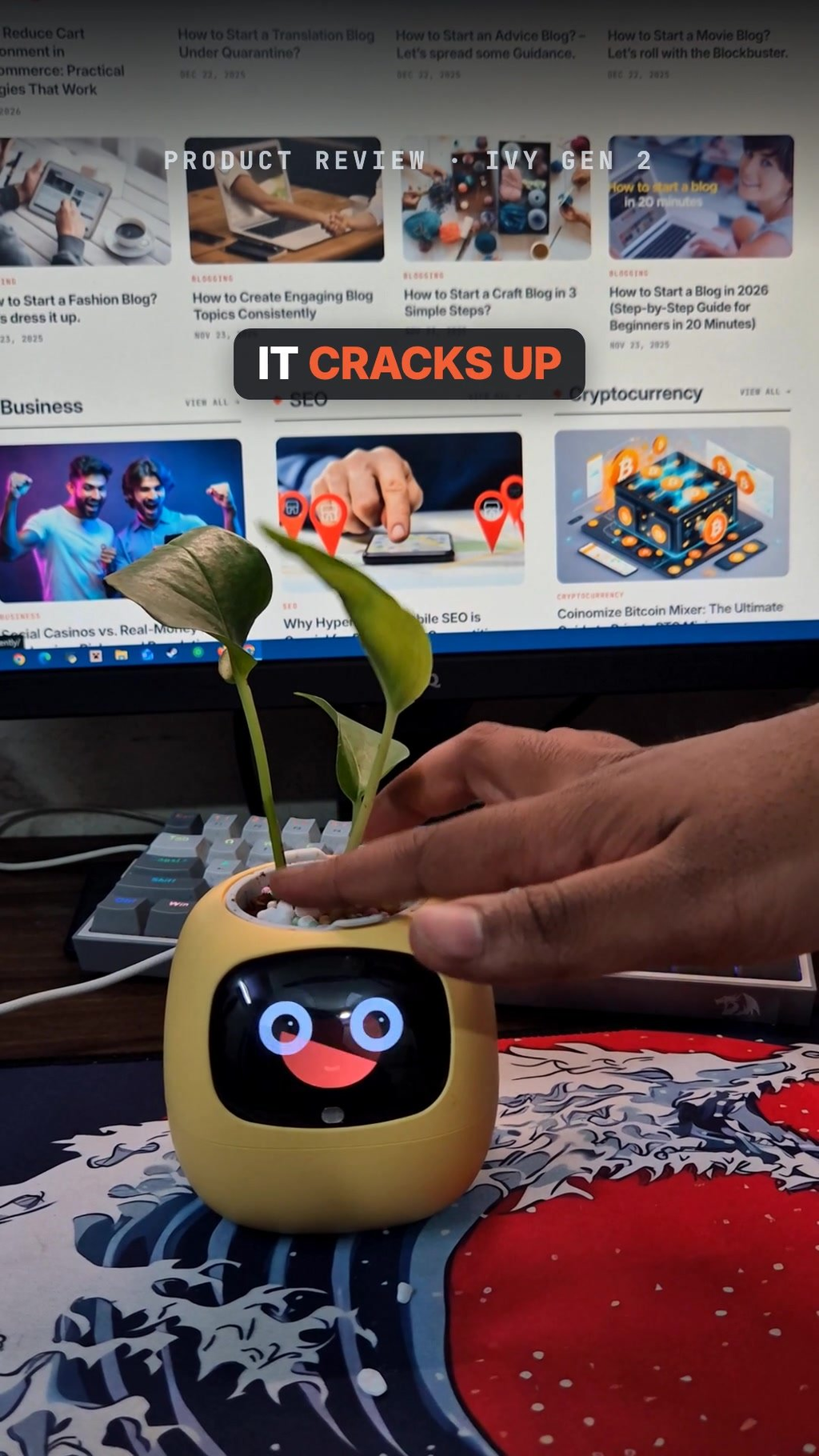
It also reacts to touch. When I poked the soil, it burst out laughing. Petting it or touching its sides gets a startled or excited reaction. This is the part everyone who walks past my desk wants to try.
![Plantsio Ivy Gen 2 held in hand showing heart eyes]](https://techlogitic.net/wp-content/uploads/2026/11/image-4-1024x1820.png)
The app and plant care
The Smart Life app shows the readings from Ivy’s sensors: temperature, humidity, light, soil moisture and water level. Plantsio says it also keeps history data and growth trends, and sends care alerts when your plant needs something. The same status shows on Ivy’s own screen, so you don’t always need to open the app.
If you already use Tuya smart home devices, you can set a touch on the plant to trigger them, like turning on a lamp or playing music.
Power
Ivy has a built-in 2,000mAh battery and charges over USB Type-C. Plantsio itself recommends keeping it plugged in during daily use, so treat the battery as a backup for moving it around. Plan for a spot near a socket or a USB port.
What I liked
- The expressions are genuinely charming, and they make plant care feel less like a chore.
- Setup was simple, and the water-level screen takes the guessing out of watering.
- The touch reactions, like laughing when you poke the soil, are fun every time.
- It runs on real sensor data, not just a cute face.
- The plant library and care profiles make it friendly for beginners.
- USB-C charging and free updates that add new expressions.
What could be better
- The plant isn’t included, and only small plants (3.5-inch pot or smaller) fit.
- 2.4GHz Wi-Fi only.
- It’s best kept plugged in, so it needs to live near a socket.
- Some buyers on Plantsio’s own page say the light sensor can show “low light” in a bright room, and that there are no sound effects.
Who shouldn’t buy it
- Anyone who wants a self-watering pot. Ivy tells you when to water, it doesn’t water for you.
- People with big or spiky plants. Only small pots fit, and you’ll be touching the top a lot.
- Anyone who wants sound or a voice assistant. Ivy is visual only.
- Serious gardeners who just want a soil meter. A basic moisture sensor costs far less.
Black Friday deal
Plantsio is running Black Friday pricing on Ivy Gen 2:
- Regular price: $98.99
- Black Friday Early Access (13 to 22 November): $91.99
- Black Friday and Cyber Monday Sale (23 November to 2 December): $84.99
Use code IVY8K for 8% off. It ships free, with a 30-day return window and a 1-year warranty.
A good holiday gift
Ivy makes an easy gift for friends with desk jobs, students, or anyone who keeps forgetting to water their plants. It looks fun out of the box, needs no gardening skill, and at the Black Friday price it’s under $100. Plantsio says it was a top seller in the last two Black Friday seasons. Just remember to buy a small plant to go with it.
FAQs
Does Plantsio Ivy come with a plant?
No. You add your own plant, one that comes in a 3.5-inch pot or smaller.
Does it water the plant for you?
No. It measures the water level and soil moisture and tells you when it’s time to water.
Which app does it use?
The Tuya / Smart Life app, on Android and iOS.
Does it work with 5GHz Wi-Fi?
No, only 2.4GHz.
Which plants does it support?
60+ plant types, from pothos and philodendrons to ferns and herbs. The full list is in Plantsio’s Plant Library.
Is there a discount code?
Yes, IVY8K gives 8% off.
Verdict
The Plantsio Ivy Gen 2 is not a gardening tool for experts. It’s a fun desk companion that actually helps you keep a plant alive. Setup was simple, the faces made me smile, and the water and sensor readings are genuinely useful. If you want a small dose of life on your desk, or a gift that gets a reaction, it’s easy to recommend, especially at the Black Friday price.