With the drastic change in remote working and online education these days, the demand for screen recording and editing tools has also hit a new high. If you also have the same requirements and would like to record your screen to create all kinds of videos, then you have come to the right place. Here, I will provide a tried and tested feature review of Wondershare DemoCreator Version 5.0, which is considered the most advanced update of this flagship product to date. Let’s get to know more about this screen recorder and video editing tool.
DemoCreator Version 5.0 is Now Officially Released
Recently, Wondershare has come up with the latest version of one of its flagship products – DemoCreator. Considered its most advanced update so far, it lets us record our screen or webcam in the best possible way. With the integration of AI technology, Wondershare DemoCreator has emerged to be one of the most powerful screen recording software of the present time.
Therefore, once I got to know about the update, I finally thought of giving DemoCreator Version 5.0 a try. After exploring some of its key features, I was highly impressed. Since a lot of educators, content creators, and professionals would find it resourceful, I decided to list the major updates of the tool. Ideally, these are some of the major offerings that I found impressive in DemoCreator screen recording and video editing software:
- 3 Dedicated recording modes
- Advanced game recording mode with automated features
- AI face recognition and integration
- Face recognition editing effects
- New animated effects for texts
- 50+ new inbuilt transition effects
- An updated media resource and stunning templates
- 20+ new audio effects
- New motion effects for images and videos
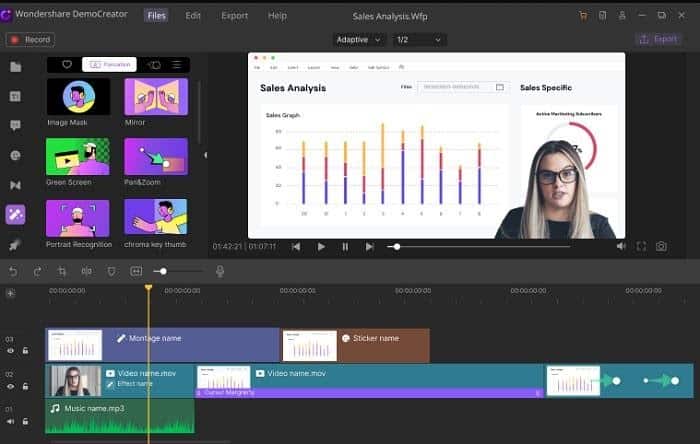
There are several new features in DemoCreator that I explore and listed later in this review.
Before I list all the major updates in DemoCreator Version 5.0, let’s quickly have a look at what the application offers. In nutshell, DemoCreator has two dedicated tools, letting us use it as a screen recorder and a video editor.
Screen Recorder
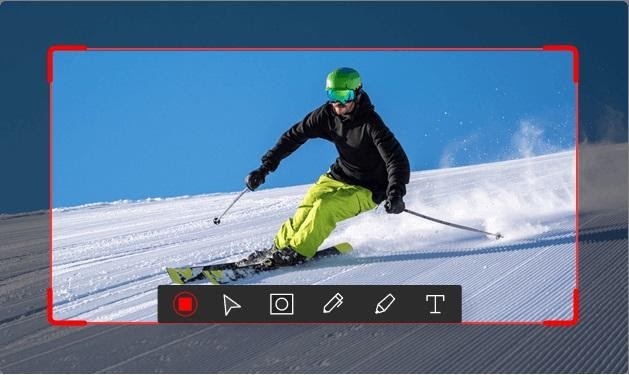
- DemoCreator would let you record any activity on your screen by including/excluding the system’s audio or microphone.
- There is also a provision to record just the webcam or include the webcam with screen recording.
- Users can record the entire screen or set any specific area to record (for recording specific applications).
- DemoCreator offers a dedicated Drawing Tool, letting you add annotations while recording your videos.
- There are also options to focus on any area while recording with its Spotlight feature. You can also implement different cursor effects while recording tutorial videos.
Video Editor
- DemoCreator offers a dedicated timeline-based editing tool to edit your video or audio files.
- There are tons of transition effects, animations, green-screen effects, captions, stickers, etc. that you can drag and drop to your videos.
- You can also import soundtracks, edit them, or implement effects like audio fade in/out on them.
- Users can explore several text animation templates that they can load and customize to meet their editing needs.
- DemoCreator also features numerous advanced editing options like pan-and-zoom, annotation tools, cursor effects, face recognition editing effects, and more.
- You can export your edited videos from DemoCreator in different formats or can directly upload them on social platforms like YouTube.
After using the newly released Wondershare DemoCreator Version 5.0, I could easily record my screen with the webcam and even edit my videos. Ideally, these are some of the major features in the update that stood out for me:
AI Matting Technology
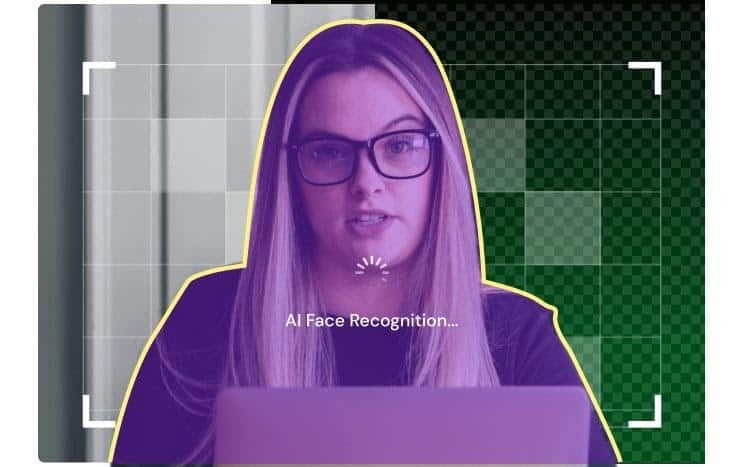
One of the best features that I found in DemoCreator was its inbuilt AI Matting technology. During webcam recording, the application would implement its AI face recognition technology. When you would record anything, DemoCreator will focus your face and will automatically blend the background in a smooth and lively manner.
Three Recording Modes
I have also noticed a prominent change in the overall user interface of the application. Apart from a video editor, the welcome screen also has a go-to screen recording option with three dedicated modes as follows:
- New Recording: To capture the system’s screen, audio, and webcam together.
- Record Screen: This mode would only capture the system’s screen and audio.
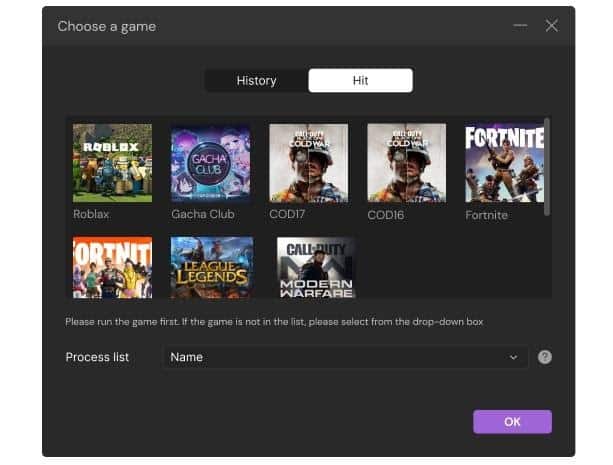
- Record Game: This will automatically detect any game that is running on your system and start recording it without any delay.
Advance Game Recording Mode
After the update, DemoCreator Version 5.0 has become a go-to option to record gameplays on computers. As listed above, the application has a dedicated Game Recording Mode that would instantly start recording the running game. Apart from that, it provides seamless recording options for gameplays and automatically lists some popular games that you can instantly select.
Flexible Webcam Recorder
To help us record our webcam professionally, DemoCreator Version 5.0 now provides customized recording options. Before you start recording, you can easily set up the direction for the webcam mirror. There are also readily available options to customize your frame and get the best recording results.
50+ Inbuilt Transition Effects
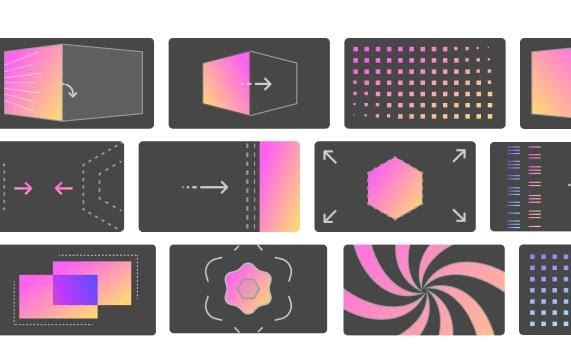
Apart from its screen recording features, DemoCreator has also come up with tons of new updates in its video editor. For instance, you can now access 50+ newly added transition effects like dissolve, erase, flash, box turn, and more. You can just drag any effect and drop it to the timeline to instantly implement it in your videos.
Face Recognition Editing Effects
The AI-integrated face recognition technology will not just help you with video recording, but with editing as well. You can access its inbuilt face recognition editing option that can automatically detect your face and remove the background in your video. There are also options to add other effects like image masks, mirrors, cinema, mosaic, and more to the loaded video.
Rich Media Resources and Templates
Wondershare DemoCreator has also made a drastic update in its library of visual resources and templates. There are tons of new templates from different domains that you can select and customize. There are many video assets that users can look for in the effects store and include them in their projects.

What’s More?
Besides that, you can also explore the following updates in DemoCreator Version 5.0:
- Multiple track timelines to record and edit different video and audio tracks.
- 20+ new audio effects for gaming, education, and other domains.
- Advanced Annotation, Caption, Transition, and Sticker effects are also added for video editing.
- Options to add customized brand watermark as a brand setting.
- Multiple video export options.
- Improved CPU usability and performance compared to its previous version.
There you go! After reading this detailed review of DemoCreator 5.0, you must have got to know more about the product. One of the best things about Wondershare DemoCreator is that it provides screen recording and video editing features, all in one place. With the inclusion of AI-integrated features, advanced gaming modes, and tons of new editing options, it has become a powerful and resourceful application for sure. You can also give it a try for free and be a judge of this multi-purpose utility tool on your own.