I’ve managed WordPress installs across more client sites than I can count – from simple blogs to high-traffic content sites with 2,000+ articles. The single biggest mistake I see? Plugin overload. People install 40+ plugins chasing features, then wonder why their site is slow and their admin dashboard is a mess. The reality is that a tight stack of 12-15 well-chosen plugins will always outperform a bloated setup. Here’s exactly what I’d install on a fresh WordPress site in 2026 – and why each one earns its place.
Quick Comparison: Best WordPress Plugins by Category
| Category | Best Free Pick | Best Premium Pick | Our Top Choice |
|---|---|---|---|
| SEO | Rank Math | Yoast SEO Premium | Rank Math |
| Performance/Caching | LiteSpeed Cache | WP Rocket | WP Rocket |
| Image Optimization | Smush | ShortPixel | Smush |
| Security | Wordfence | MalCare | Wordfence |
| Backups | UpdraftPlus | UpdraftPlus Premium | UpdraftPlus |
| Forms | Contact Form 7 | WPForms Pro | WPForms |
| Analytics | Site Kit by Google | MonsterInsights Pro | Site Kit |
| Email Marketing | Mailchimp for WP | – | Mailchimp for WP |
| Page Builder | Elementor Free | Elementor Pro | Elementor |
| eCommerce | WooCommerce | WooCommerce + extensions | WooCommerce |
SEO Plugins
Getting your SEO fundamentals right from day one saves you from painful fixes later. These three plugins cover everything from meta tags to schema markup.
1. Yoast SEO
Yoast SEO is a WordPress SEO plugin with over 10 million active installs, making it the most widely deployed SEO tool on the platform. It gives you full control over meta titles, descriptions, and XML sitemaps directly from your post editor.

Key features in the free version:
- Real-time on-page SEO and readability scoring as you write
- Google snippet preview so you see exactly how your result appears before publishing
- XML sitemap generation
- Built-in breadcrumb generator
The premium version adds AI-powered suggestions, internal linking recommendations, and advanced social previews. For most publishers, the free version is enough to start. Upgrade once your site is generating consistent traffic and you need the internal linking assistant.
Best for: Publishers and bloggers who want guided, step-by-step SEO scoring per post.
2. Rank Math SEO
Rank Math is a WordPress SEO plugin with over 3 million active installs that packs a free tier rivaling most paid alternatives. It’s what I personally use on techlogitic.net – the multi-keyword optimization, built-in 404 monitor, and redirect manager all in one free plugin is genuinely hard to beat.
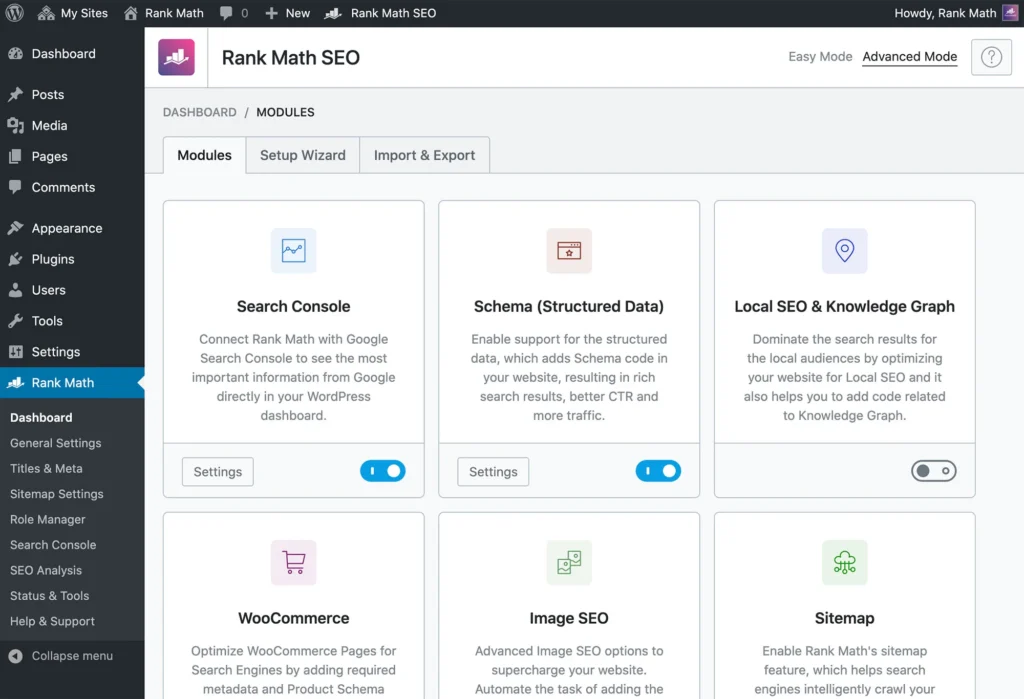
You get schema markup out of the box, a detailed SEO analysis dashboard, and the ability to optimize for multiple focus keywords per post without paying a cent. If you’re building content-heavy sites with a focus on topical depth and TF-IDF optimization, Rank Math gives you more levers to pull for free.
Best for: Growing sites and power users who want advanced free features without a premium price tag.
3. All in One SEO (AIOSEO)
All in One SEO (AIOSEO) is one of the original WordPress SEO plugins, now particularly strong for WooCommerce stores and local businesses. Its standout features include smart schema markup, an advanced redirection manager, a link assistant for internal linking, and dedicated local SEO modules.

The free version handles most standard needs. The pro version unlocks local SEO, news sitemaps, and WooCommerce-specific product schema. If you’re running a local business site or an online store, AIOSEO’s niche-specific features give it an edge over the generalist alternatives.
Best for: Local business sites and WooCommerce stores.
Performance and Caching Plugins
Site speed directly affects both rankings and conversions. A one-second delay in page load time can tank your traffic numbers – this category is non-negotiable.
4. WP Rocket
WP Rocket is a premium WordPress performance plugin starting at $59/year and is widely considered the gold standard for caching on WordPress. Unlike free caching plugins that only cache after the first visit, WP Rocket proactively crawls and pre-builds your cache – so every visitor gets a fast experience from the start.

From a single dashboard it handles:
- Page caching
- CSS and JavaScript minification
- Image lazy loading
- CDN integration
- Database optimization
The time you’d spend configuring a free caching plugin to match WP Rocket’s out-of-the-box performance makes the $59 price tag a very easy justification for serious sites.
Best for: Established sites where speed is a priority and you want results without hours of configuration.
5. LiteSpeed Cache
LiteSpeed Cache is a free WordPress caching plugin that leverages server-level caching available on LiteSpeed hosting environments – common with providers like Hostinger, NameHero, and A2 Hosting. On compatible hosting, it often outperforms paid alternatives at zero cost.

Features include image optimization, lazy loading, CSS/JS minification, and access to QUIC.cloud – LiteSpeed’s built-in CDN. If your host runs LiteSpeed servers, install this before anything else in the performance category. Check with your host first – running LiteSpeed Cache on Apache or Nginx hosting won’t give you the server-level caching benefit.
Best for: Sites hosted on LiteSpeed servers who want maximum performance for free.
6. Smush
Smush is a WordPress image optimization plugin with over 1 million active installs. Oversized images are one of the most common causes of slow WordPress sites, and Smush solves this automatically – compressing and optimizing images on upload, stripping unnecessary metadata, and enabling lazy loading for below-the-fold images.
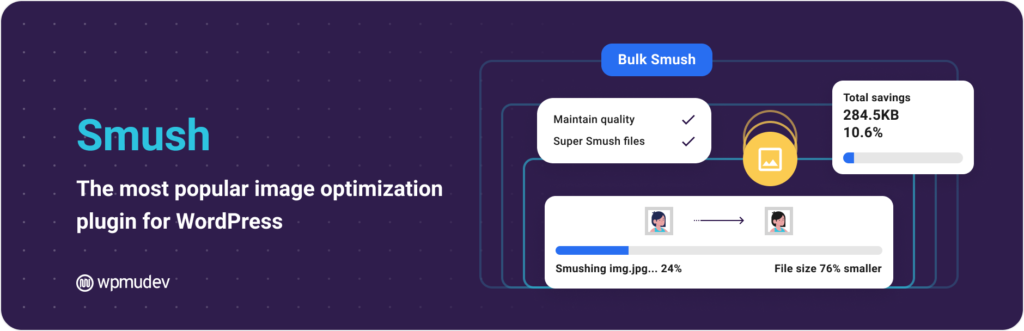
The free version handles bulk optimization of up to 50 images at a time across all common image formats. It’s lightweight, reliable, and pairs well with either WP Rocket or LiteSpeed Cache as part of a complete performance stack.
Best for: Any WordPress site with a significant image library.
Security Plugins
Keeping your WordPress site secure isn’t optional – a hacked site can wipe out months of SEO progress overnight.
7. Wordfence Security
Wordfence is the most popular dedicated security plugin for WordPress, trusted by over 5 million websites. It runs a web application firewall that blocks malicious traffic before it reaches your site, combined with real-time malware scanning, brute force attack protection, and two-factor authentication.

The free version provides solid protection for most sites. The premium version upgrades firewall rules from a 30-day delay to real-time threat intelligence – worth it for high-traffic or eCommerce sites handling sensitive customer data.
My score: Security 4.5/5 | Ease of use 4.2/5 | Performance impact 3.8/5
Best for: Most WordPress sites needing a reliable, well-supported free security solution.
8. MalCare Security
MalCare takes a smarter approach to WordPress security – all malware scanning happens on MalCare’s own servers, not yours, meaning it doesn’t slow down your site during scans. The standout feature is one-click malware removal, letting you clean an infected site instantly without needing a developer to dig through files manually.

It also includes login protection, bot protection, and a multi-site management dashboard. The downside is that the firewall and cleanup features are locked behind the paid plan. If you manage multiple WordPress installs and need fast cleanup capability, MalCare is worth the investment.
Best for: Agency owners and developers managing multiple client sites.
Backup Plugins
If you don’t have automated backups running right now, stop reading and fix that first. A 504 gateway error or a botched plugin update can bring your site down, and without a backup, recovery is a nightmare.
9. UpdraftPlus
UpdraftPlus is the most trusted WordPress backup plugin with over 3 million active installs. It schedules automatic backups of your entire site – files and database – and sends them directly to cloud storage: Google Drive, Dropbox, Amazon S3, and more.

The one-click restore is genuinely easy even for non-technical users. The free version is capable enough for most sites. The premium version adds incremental backups, multisite support, and a migration tool – useful when moving sites between hosts.
Best for: Every WordPress site. No exceptions.
Form Plugins
10. WPForms
WPForms is a drag-and-drop form builder with over 6 million active installs and 300+ pre-built templates covering contact forms, payment forms, surveys, and registration forms. Most forms take under five minutes to set up and publish.

The free version handles standard contact forms cleanly. The pro version unlocks payment integrations (Stripe, PayPal), conditional logic, form abandonment tracking, and user journey analytics – useful for any site actively generating leads.
Best for: Beginners and small businesses who want forms live quickly without touching code.
11. Contact Form 7
Contact Form 7 is one of the oldest plugins in the entire WordPress repository, with over 10 million active installs. Instead of a visual builder, you configure forms using simple shortcodes and markup – slightly less beginner-friendly but extremely lightweight and flexible.
It supports multiple forms, CAPTCHA integration, and file uploads with no bloat. For developers or technically comfortable site owners who want a no-frills, proven solution that won’t add unnecessary overhead, Contact Form 7 is still the default choice.
Best for: Developers and technically comfortable users who prefer lightweight flexibility.
Analytics Plugins
You can’t improve what you don’t measure. Understanding your audience is fundamental whether you’re growing a blog or running an eCommerce store.
12. MonsterInsights
MonsterInsights connects WordPress with Google Analytics and surfaces your most important data – top pages, traffic sources, audience demographics, device breakdown, eCommerce performance – directly inside your WordPress dashboard without touching code.

With over 2 million active installs, it’s the most popular analytics plugin on the platform. The free Lite version covers the basics well. The pro version unlocks enhanced eCommerce tracking, form conversion tracking, and custom dimensions – worth it once you’re actively optimizing conversions.
Best for: Site owners who want Google Analytics data without leaving the WordPress dashboard.
13. Site Kit by Google
Site Kit is Google’s own official WordPress plugin – a directly trusted connection to the full Google ecosystem. One installation surfaces data from Google Search Console, Google Analytics, PageSpeed Insights, and AdSense inside your WordPress dashboard.
It’s completely free and regularly updated by Google’s own team. For site owners who want a direct, official integration rather than a third-party wrapper, Site Kit is the cleaner choice. The only limitation is that it’s less customizable than MonsterInsights for advanced reporting setups.
Best for: Site owners who prefer official Google integrations and run AdSense or Search Console heavily.
Email Marketing Plugins
14. Mailchimp for WordPress
Mailchimp for WordPress (MC4WP) is the most popular plugin for connecting WordPress with Mailchimp email lists, with over 2 million active installs. It places opt-in forms anywhere on your site and integrates with WPForms, Contact Form 7, WooCommerce checkouts, and comment sections – capturing subscribers at every touchpoint.
The free version handles most websites’ needs. The premium version adds advanced form styling, user sync, and detailed conversion statistics. If you’re building a blog and email list simultaneously, this plugin makes the connection effortless.
Best for: Mailchimp users who want list growth integrated across their entire WordPress site.
Page Builder Plugins
15. Elementor
Elementor is the most popular page builder plugin in WordPress with over 10 million active installs. It gives you a visual drag-and-drop interface to design pages without writing code, with a large library of widgets, templates, and blocks.
Good web design directly impacts how visitors perceive your business – and Elementor makes it achievable without hiring a designer for every update. The free version is capable for basic site building. Elementor Pro unlocks a full theme builder, dynamic content, WooCommerce builder, and a popup builder – making it a comprehensive design toolkit for serious projects.

Best for: Site owners who want design control without relying on a developer for every change.
16. Table of Contents Plus
Table of Contents Plus automatically generates a structured table of contents for long-form posts and pages based on your heading tags. This is particularly valuable for in-depth guides and resource articles where readers benefit from jumping directly to the section they need.
Beyond usability, a well-structured table of contents supports SEO by helping search engines understand your page hierarchy – and improves the chances of earning sitelinks in search results. It’s lightweight, free, and takes two minutes to configure.
Best for: Content-heavy sites publishing long-form guides and pillar pages.
Classic Editor and Classic Widgets
17. Classic Editor
WordPress replaced its original post editor with the block-based Gutenberg editor in 2018. The Classic Editor plugin restores the original interface and is officially supported by the WordPress core team. With over 5 million active installs, it tells you exactly how many site owners still prefer working this way.
If your team is accustomed to the classic editor or you’re managing WordPress in 2026 with a non-technical content team, Classic Editor eliminates the Gutenberg learning curve entirely.
Best for: Teams and site owners who prefer the original editing interface.
18. Classic Widgets
Alongside Classic Editor, Classic Widgets restores the original Appearance > Widgets screen, replacing the block-based widget editor that WordPress introduced with Gutenberg. For simple sidebar and footer management, it removes unnecessary complexity.
Like Classic Editor, it’s officially maintained by the WordPress team and free. Install it if Classic Editor is already part of your setup.
Best for: Sites already using Classic Editor who want consistency across the full admin experience.
eCommerce Plugins
19. WooCommerce
WooCommerce is an eCommerce plugin for WordPress with over 7 million active installs and is the most widely used online store solution on the web. The core plugin is free and includes a full product catalog, shopping cart, and checkout. It supports 100+ payment gateways including Stripe, PayPal, and Razorpay.

A large extension ecosystem adds subscriptions, memberships, product bundles, and more. If you’re building any kind of store on WordPress, WooCommerce is the starting point – not one option among many. Check out our detailed breakdown of must-have plugins to manage your WooCommerce business for the full picture on extending it correctly.
Also see: 8 essential strategies for eCommerce sites to make the most of your WooCommerce setup.
Best for: Any WordPress site selling products or services online.
How Many WordPress Plugins Is Too Many?
There’s no hard rule – a lean site with 30 well-coded plugins can outperform a poorly optimized site running 10 bad ones. That said, every plugin adds potential points of failure: security vulnerabilities, compatibility conflicts, and performance overhead.
A practical guideline: audit your plugins every 6 months. If a plugin hasn’t been updated in over a year, check for an actively maintained alternative. You can use the WordPress audit plugin tools to spot outdated or conflicting plugins quickly.
Three things to check before installing any plugin:
- Last updated date – anything over 12 months without an update is a yellow flag
- Active install count – low installs on a plugin doing something critical is a risk
- WordPress version compatibility – always verify against your current WordPress version
The plugin list above covers every core function a WordPress site needs in 2026. My personal non-negotiables regardless of site type: Rank Math, WP Rocket (or LiteSpeed Cache on compatible hosting), Wordfence, UpdraftPlus, and WPForms. Everything else on this list is a strong pick within its category – add what your site actually needs, skip what it doesn’t.
The goal isn’t to install everything listed here. It’s to run the smallest possible set of high-quality, actively maintained plugins that keep your site fast, secure, and easy to manage.
Disclosure: Some links in this article are affiliate links. We only recommend tools we’ve used and tested across our own sites.